momgineer: project based learning
Showing posts with label project based learning. Show all posts

Create Digital Stop Motion Animation

 Digital Stop Motion Animation

Hands-on stop motion animation is one of my favorite STEM activities to do with kids, because it can be tied into almost any subject area, offers high engagement, and develops patience, perseverance, and persistence. It's not always an option, though, such as when:

  • Technology or materials are limited
  • You don't have space to set up and keep sets available for multiple sessions (such as if you are teaching froma cart)
  • Or in the case of no-sharing materials, hybrid or remote learning, you may not be able to do hands-on projects.
  • Your kids are working on stop motion activities as a bonus or choice activity when they may only have 10-15 minutes at a time to devote to it.

This is the perfect time to use digital stop motion animation instead!

Simple Digital Stop Motion Animation

A simple way to get started animating quickly is to use ABCYa Animate - backgrounds, characters (called stickers), and drawing tools are all built in. You can simply just jump right in and start animating!

Some of the kids on my robotics team made a stop motion animation video with ABCYa (and then did some extra edits in OpenShot). You can see the video here:


Animating with Google Slides

Almost as easy as ABCYa is to just use Google Slides. I'm not going to reinvent the wheel with a tutorial video because there are dozens of them on YouTube already (I linked some below), but here are the basics:

  1. Start with a background
  2. Add in your animated component(s) as needed
  3. Duplicate the slide
  4. Move your animated component(s) ONE ARROW keystroke in any direction (if animating text add one letter per slide)
  5. Repeat steps 3 and 4 until your animation is complete.
  6. Watch your stop motion animation video as directed in the tutorial videos and/or screen capture the video and add some cool post-edits, like music, sound, credits, etc. I like to use Shotcut or OpenShot for this.

Stop Motion with Google Slides Tutorials


Balloons Over Broadway or Thanksgiving Day Parade Stop Motion Animation

This idea came to me as a way to tie in a digital STEM activity to the read aloud Balloons Over Broadway by Melissa Sweet. Students can create their very own Thanksgiving Day Parade with floats they find on Google image search, or they can draw their own with the drawing tool. Here is a video sample of a completed project:


Why I love this project:
  • Students can work in pairs, but they could also work alone to create a single animation or a complete parade of floats!
  • Kids who struggle with drawing can use a float already found and instead apply their creativity to the animation aspect (changing size, aspect ratio, rotation) or having something exciting or unusual happen during the parade. Perhaps a bird flies by or a person photobombs the video!
  • It can easily be shared to the whole class when complete, as well as family members, and then saved as part of a digital STEM portfolio.
  • It seriously pushes the limits of persistence and patience. Stop motion animation is something that takes time and persistence to complete! Students are always so proud of their creations because they know just how much time they put into them.

Get the Resource
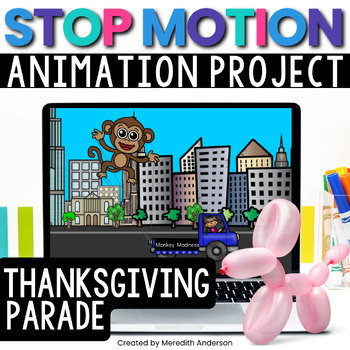
While you don't need this Digital Stop Motion Animation resource to complete the activity, I have included a background, various parade floats and vehicles, and step by step instructions so that students can do this project independently. Just download and get started right away!


Christmas Stop Motion Animation

If you celebrate Christmas in the classroom, this stop motion animation movie (or others) is so cute to create! I found just the perfect clip art elements to animate Santa Claus flying across the winter night sky. Here is a video sample:


If you want to create a winter-themed stop motion animation without Christmas theme, building a snowman is the perfect idea. I just love how this one came out:


Get the Resources


Pin these ideas for later:


Demystifying STEM with SOLIDWORKS Apps for Kids


Demystifying STEM with SOLIDWORKS Apps for Kids

Let’s face it: sometimes, getting kids into STEM is hard. You can preach the gospel of science, technology, engineering, and math all day long, but if a kid feels like their creativity and imagination are being stifled by rules and numbers, “STEM” can quickly turn into “STOP.” SOLIDWORKS Apps for Kids was created with this in mind.
SOLIDWORKS Apps for Kids is an ecosystem of apps meant to nurture new designers from age 4 and up. With Capture It, Shape It, Mech It, Style It, and Print It apps, kids are introduced to real-world workflow practices like ideation, creation, enhancement, and production in a fun and accessible way. The apps empower kids to learn while allowing their creativity to flow, giving them multiple methods to design and turn their craziest ideas into reality.

Meet the Apps 

http://www.solidworks.com/a4k_momgineerblog

Capture It is a personal inspiration app, where kids can add photos, draw their own images and turn them into stickers, and create an idea board for all the designs that will come next.

Anyone who is familiar with 3D modeling will recognize Shape It, a kid-friendly, easy to use CAD app that allows kids to shape, prod, and pull material into their very own creations.

http://www.solidworks.com/a4k_momgineerblog
Two kids might create similar models, but with the Style It app they can really make their own designs pop. Kids can transfer models from Shape It to Style It and use colors, stickers, backgrounds, and more to decorate and make their model truly unique. Create a cute and happy spider or your own Mars rover.

With the Print It app, kids can watch their designs come to life. Print It gives kids the ability to 2D print or 3D print their designs, and also allows them to learn about isometric views in a cool way with the Cube Print function. Keep reading to see an example of the Cube Print function.

Is your child more interested in motors and linkages? With the Mech It app, moving machinery is in within arm’s reach, with cool and colorful spiral designs that kids can tweak in any which way they like.
http://www.solidworks.com/a4k_momgineerblog


Mech It was definitely my favorite app to try out! Join a few bars together, add a motor, and then hit play to watch it go! You can even slow it down and speed it up with the slider bar. Here is a simple crank-rocker mechanism I created:


Pro Tips to Get Started Successfully with SOLIDWORKS Apps for Kids

1) Start with the Videos

When you try out the apps, make sure you start with the videos! They are short but all very helpful so that you can get started right away and learn what all the different options are for drawing, styling, and modifying designs. Especially for kids new to CAD, this is SO helpful! Just click the ? in the upper right corner of the screen at SOLIDWORKS Appsfor Kids to find all the videos to get started on the right track.

2) Utilize the Public Projects

Navigate to the public projects, find one you like, then click on the copy icon to "Riff."


3) Start tinkering!

Dive right in and start tinkering with whichever app appeals to you most!

4) Remember to Print it

One way for kids to show what they created is to print it. You can create 2D prints on paper, with or without a background, on a 6-sided cube, and in color by number style (what?!!! This is so awesome!). You can even 3D print your kids' creations. I constantly get asked for project ideas for 3D printing. These apps have got you covered; design, go to print it, and grab your STL file. Explore the Print It app and never run out of ideas for your 3D printer.

http://www.solidworks.com/a4k_momgineerblog

Internet Safety and Privacy


Projects in SOLIDWORKS Apps for Kids are always private until you decide to share to the Apps for Kids Public Gallery. Users can “riff” on public projects—your kid might see a cutesy bunny design, like it, then riff on that project and transform that bunny into an out of this world alien. Creativity, imagination, and community are all part of the Apps for Kids ecosystem.

STEM Block, Tech Lab, or Makerspace

Educators across the country have embraced SOLIDWORKS Apps for Kids as a means to teach their students about design and engineering. Now, the Apps for Kids Classroom interface allows teachers to create and organize self-contained workshops.

http://www.solidworks.com/a4k_momgineerblog

Use at Home Together

Parents, do not deprive yourself of the opportunity to create something magical and fun with your child. Work together to create a robot army, an enchanted land, or a space adventure!

While there are dozens of apps out there that may enhance STEM learning, these apps are truly a complete suite of apps. There is something for everyone, whether your students lean more toward revising and enhancing designs or creating something brand new from scratch.
If you give kids the means to express and create, to engineer and tinker to their heart’s content, they can learn that STEM exists beyond numbers and rules. With SOLIDWORKS Apps for Kids, they are already there. Learn more about all the fun things you can do with SOLIDWORKS Apps for Kids right here.

Pin These Ideas for Later


Wind Powered Sailboat - Spring STEM Challenge

STEM Challenge for Spring: Harness the Wind with a Sailboat

A multifaceted STEM challenge that can be done outside on a nice day!

Warning: You May Get Wet with this STEM Challenge

Why try this challenge? In addition to creating something that is useful, students will be honing their spacial reasoning and mathematics skills while designing and creating their garden box. It may even inspire your students to create a full sized garden bed where they can plant their favorite flowers, plants, or vegetables. 


Tie it in to a Read Aloud

If you love STEM books as much as I do, this is the perfect book to read before doing a wind-focused STEM challenge (affiliate links - read disclosure here):

The Boy Who Harnessed the Wind (picture book)


or go more in depth with the full story: 


Gather Materials for Sailboat STEM


First, gather all materials needed for the challenge:

You will need a tub, storage bin, kiddie pool, etc. for this challenge. You will also need a desk fan to supply the wind. Please use caution operating the fan near the water. You can partition the container to have racing lanes if you want to let your students race the boats. I used a piece of pipe insulation. Students can create their boats with aluminum foil, Popsicle sticks, plastic egg carton pieces, etc. They will need to use material for a sail and mount it to their boat. Not only does the boat need to float, it also needs to move forward with the wind.

Design and create a sailboat - Spring STEM challenge. #stemeducation from Meredith Anderson - Momgineer

Go Deeper with Science in this STEM Challenge

Have your students research drag and buoyancy. Ask:

Where is drag advantageous, and when do engineers try to avoid it? 

When might you want a water vessel to NOT be buoyant?


What skills do students work on? In addition to following the Engineering Design Process to complete this challenge, students will need to work together and may need to make several modifications to improve their sail designs.

Add more rigor into this activity with the STEM challenge resource (or get the pack of Spring STEM challenges) on Teachers pay Teachers:


Pin these ideas for later:
Design and create a sailboat - Spring STEM challenge. #stemeducation from Meredith Anderson - Momgineer

Bird Nest STEM Challenge

STEM Challenge for Spring: Design and Create a Bird's Nest

A nature-based STEM challenge that is fun to create on both a small and large scale: a bird's nest!


Support a Growth Mindset with STEM

Why try this challenge? In addition to creating something that seems simple (but is actually quite difficult), students have the opportunity to observe nests in nature, gather materials, and work on their growth mindset.

Gather Materials for Bird Nest STEM


First, gather all materials needed for the challenge:

This project can be done in two ways - with materials found in your recycle bin or objects found in nature. If you live in an urban area, students may observe that birds often use trash that has been discarded when making their nests. Use paper scraps or go to nature to find grass, twigs, etc. Ask:

What objects do you routinely discard that could be reused or repurposed?


Test the nest with hardboiled, wooden, or plastic eggs filled with pennies (for weight). Can it support the weight of the egg?

What skills do students work on? In addition to following the Engineering Design Process to complete this challenge, they will need to test stability and strength as well as work together with patience and perseverance.

Add more rigor into this activity with the STEM challenge resource (or get the pack of Spring STEM challenges) on Teachers pay Teachers:

https://www.teacherspayteachers.com/Product/STEM-Challenges-for-Spring-2461075?utm_source=Momgineer%20Blog&utm_campaign=Spring%20STEM%20Nest


Pin these ideas for later:

Spring STEM Challenge - Design and create a bird nest using recyclable or found materials in nature. STEM for all seasons. #stemeducation | Meredith Anderson - Momgineer


Spring STEM Challenge - Design and create a bird nest using recyclable or found materials in nature. STEM for all seasons. #stemeducation | Meredith Anderson - Momgineer

Spring STEM Challenge - Design and create a bird nest using recyclable or found materials in nature. STEM for all seasons. #stemeducation | Meredith Anderson - Momgineer


Valentine's Day STEM Adventure with Cupid

Fun STEM Activities for Elementary Students on Valentine's Day

Candy Heart STEM That is Easy to Implement

This is the third installment of the "Pick the Path STEMventure" series. I wrote a short story about Cupid for Valentine's Day. Don't worry, there's no lovey-dovey stuff. In the story, Cupid is helping kids and animals work through some quarrels. Each choice leads to a STEM challenge, so that in completing the story students will complete 3-4 challenges. The story not only guides them through the engineering design process, it includes design constraints and areas for them to fill in their thoughts, plans, and testing data.

One Challenge All Students Complete - Unplugged Coding


Not all kids love coding, but it is still great to expose them to simple logic problems that are the basis of coding. Creating a path is a simple way to have kids think ahead and plan out a set of directions - this can be useful in many other non-coding areas, such as cooking, following a map, or even executing a detailed set of drills at soccer practice! The story is set up in such a way that all students will walk through this particular challenge, though the other challenges presented are up to the student. The other challenges include:
  • a candy heart tower
  • a candy heart maze
  • a container that holds candy hearts
  • a parachute for Cupid
  • a bow for Cupid (optional, for any class that has a serious case of shoot-your-eye-out-itis)
You can do the challenges above (aside from the coding one) without the resource I created. Here are some examples of the others, including STEM activities with conversation hearts:

Other ideas for Candy Heart STEM

  • Create a pattern with the hearts and have someone else decipher it. Is it by color? By saying? Something else?
  • Create a candy heart launcher! 
  • Set up an experiment to try and figure out the fastest way to dissolve candy hearts. Is it with cold water? Warm water? Water with baking soda in it? Milk (if no allergies)? Something else? Get ideas from students and see if they have any creative solutions to try!

Find this STEM Resource on Teachers pay Teachers

If you would like to use the story and printables I've created, you can find them on Teachers pay Teachers at this link Valentine's Day STEM:

https://www.teacherspayteachers.com/Product/Valentines-Day-STEM-Activities-Healing-Hearts-with-Cupid-3588754


or save these ideas for later by pinning this on Pinterest:


Little Red Riding Hood STEM Activity with Integrated Literacy

Fairy Tale STEM Activity for Little Red Riding Hood

Little Red Riding Hood is on her way to visit her sick grandmother, but the wolf beats her to Grandmother's house. Can you help stop the wolf before he eats Grandmother? This is a great STEM activity to try for National Fairy Tale day!


Materials Needed for this STEM Fairy Tale Activity

  • Supplies to create two different musical instruments (metal like washers and bolts, etc., rubber bands, recyclables cups and containers, balloons or plastic bags to create drums, craft sticks and rubber bands to create kazoos, etc.

Before Getting Started with the STEM Tale

STEM tales work best if you read the original fairy tale first or do your own storytelling. Discuss the similarities and differences as you read through the story. For this STEM tale, you will start with an exploration of Morse code!

Learn Morse Code for Kids


After getting acquainted with Morse code, students will then create two instruments that make distinctly different sounds, to represent the short and long parts of the code.

Fairy Tale STEM with the Engineering Design Process 

I have designed STEM tales so that as students read the story, they will follow the engineering design process. What is the problem that needs to be solved in the Little Red Riding Hood STEM Tale? Grandmother can't call for help because she lost her voice with her illness. She did, however, learn Morse code with Little Red Riding Hood so the instruments will help save Grandmother!

Little Red Riding Hood STEM Tale Challenge

Design a Musical Instrument or Sound Device

After brainstorming instrument design ideas, the students will then choose two to create. They will need to test out their instruments with a partner and decode the message! This can also be done digitally if desired:
Digital STEM Challenge with Little Red Riding Hood

You can have students create a Scratch program to send the message. Otherwise, stick with simple instruments like the ones shown below:


STEM tales are a great way to foster teamwork and problem-solving. To find the full resource, which includes an 8-page booklet, check list for self-evaluation, and tips, visit Little Red Riding Hood STEM:

https://www.teacherspayteachers.com/Product/Little-Red-Riding-Hood-Fairy-Tale-STEM-Activity-Grandmas-Secret-Code-3243562

Pin this idea for later:


To read more about how to conduct a STEM challenge, visit this post:

http://momgineer.blogspot.com/2016/09/how-to-run-successful-stem-tale.html

To see all posts in this series, click here:

STEM Tales Blog Series


STEM Challenge for Fall - Create a Sports Dome

Sports STEM Challenge for Fall: Design and Create a Sports Dome

A math-centric STEM challenge that is fun to create on both a small and large scale: the geodesic dome!

Why try this challenge? I think this Venn diagram says it all:
On a slightly more serious note, this challenge requires patience to figure out but the reward is great. If you have a lot of space you can even have students create one large dome together and turn it into a reading nook or meeting space.

First, gather up the materials:


This project can be done in two ways - freestyle, or with the measurements provided to create the dome as shown.

What skills do students work on? In addition to following the Engineering Design Process to complete this challenge, they will need to make measurements as well as work together with patience and perseverance.

Add more rigor into this activity with the STEM challenge resource (or get the pack of fall STEM challenges) on Teachers pay Teachers:

https://www.teacherspayteachers.com/Product/Sports-Dome-STEM-Challenge-Geodesic-Dome-2785002?utm_source=Momgineer%20Blog&utm_campaign=Fall%20STEM%20Challenge%20Dome%20Post


https://www.teacherspayteachers.com/Product/STEM-Challenges-and-STEAM-Activities-for-Fall-2779071?utm_source=Momgineer%20Blog&utm_campaign=Fall%20STEM%20Challenge%20Pack%20Leaf%20Glider%20Post