momgineer: download
Showing posts with label download. Show all posts

Zoom Tips for Teachers

Tips for Using Zoom with Your Students

A member of the STEM Teachers Group asked for everyone's best tips for using Zoom with their students. The tips were so awesome and useful that I compiled them in this post (and downloadable graphic) so that everyone could benefit!

If you have additional tips please be sure to let me know via email so I can add them in!

1. Set Expectations

Set out expectations clearly at the beginning of your meeting on a slide, or keep a poster propped up behind you with expectations and procedures. Build community by having your students help come up with expectations and procedures!

2. Use the Waiting Room Feature

Use the virtual waiting room feature and enable the doorbell sound/chime when
someone enters. Not only will it alert you if someone enters late, it will help keep your meeting more secure. Once all students arrive, lock the meeting.

3. Make Sure to Mute

Make sure your meeting is set to "mute upon entry" and encourage your
students to mute themselves after speaking.

As a backup option, learn where the "mute all" button is in the event they
forget to mute themselves!

4. Set a Meeting ID

Set up a meeting ID and password so it's always the same for a particular group.

Beware, though that if the link gets shared with others you may need to change it.

5. Use Breakout Rooms

For small group collaboration, utilize the breakout room feature. Rotate through to pop in and check on each group. *Breakout rooms may need adult supervision, so ask for volunteer helpers if possible.

6. No Annotation, Chat, OR Screen Share

Turn OFF annotation and screen share, or students will be able to draw on the screen or share their own screen with everyone.

Turn OFF chat for everyone but the host.

7. Basic Requirements

Consider having basic requirements for your meetings for your meetings, such as:
  • Students must use their real name when logging in.
  • Cameras must remain on.
  • Students must virtually raise their hand to speak.

8. Headset Quality

Built-in microphones are often not clear. Your voice should be clear for the
students and you want your ears to be comfortable, too! Invest in a good headset or mic.

9. Try New Things

Not only can you keep your meetings more interesting, you can make them run more efficiently if you keep tabs on what your students see as a student participant, using keyboard shortcuts to not have to constantly search in menus for what you need, and having a variety of ways to interact to keep students engaged.
  • Backgrounds
  • Split screens
  • A document camera
  • Using two computers/devices (one as yourself and one as a student)
  • Learn keyboard shortcuts

10. Pre-record

Pre-record video lessons for your students to watch prior to your meeting, or find a suitable YouTube video on the topic you are teaching. Give students tasks before the meeting, so that when you do meet, you are following up with them and addressing issues or questions.

11. Take Breaks

Have a fun activity like scavenger hunt while students are waiting to join. Try quick brain breaks, stretching exercises, or mindfulness activities to help your students stay focused.

12. Be Willing to Learn

If you have a meeting that didn't go well, take a deep breath and try again next
time. There will be kinks to work out, but enlist your students to help brainstorm
ways to make your meetings work for everyone!

Download the tips! You can download this graphic to keep a copy of the tips:


Do you like STEM? Try Elementary STEM Club!

You may have noticed that little logo at the bottom left corner of the image for Elementary STEM Club. If you are a K-5 teacher and incorporate STEM, or a dedicated STEM teacher, I would love for you to check out Elementary STEM Club!


What is it?
Elementary STEM Club is a 3-month experience to kickstart your back to school months with support, activities, and tips for navigating the year, whether you are in person, distance teaching, hybrid teaching, or mobile.

Each month, you will gain access to:
    • A tried and true STEM resource with a video walk-through of what you need to get started, how to use it, and tips for success.
    • A LIVE panel discussion, featuring educators chatting about a timely topic in STEM.
    • A book chat: a focus on K-5 picture books to enhance your STEM lessons and learning.
    • Some surprise bonuses along the way (from our hosts, presenters, and guests)!
    • Interaction with other STEM educators in the private Facebook group and club site - you may even find your new STEM teacher bestie!

      Most of all, you will receive a solid foundation and the support you need this fall to start your school year off right.

Find out more about Elementary STEM Club:


Pin these ideas for later:


Using Minecraft to Learn about World Landmarks


My kids have been into geography lately, and of course they are into Minecraft (whose kids isn't?). While I can appreciate Minecraft as a parent, I prefer when the kids are working on meaningful tasks as opposed to just roaming and killing mobs or animals. Last week, I had the idea to show them images of famous world landmarks and ask them to re-create their own version in Minecraft. They LOVED this task. Here are some images of their Arc de Triomphe interpretations.


Without prompting, they added so many little touches that I was a little blown away by the creativity! There were torches, and my eldest even included inside/upstairs, where he added statues and signs. My favorite was the one below, "Upstairs tour by permission of the French government only!" Haha!

There was even an "employees only" wing with beds to that the employees could rest as needed. Obviously, they did this in creative mode, but they couldn't wait for another assignment after they did the first one! You can take screenshots of your Minecraft creations by pressing F2, then create a digital scrapbook of all of the landmarks they create! If you'd like them to record the landmarks they create or get started with some landmarks that are fairly easy to create in Minecraft, I have a free printable for you! It includes both color and blakc and white versions of the 5 landmarks included (Acropolis, Arc de Triomphe, Brandenburg Gate, Leaning Tower of Pisa, and the Statue of Liberty). It's part fo my resource library, which is free when you join the Momgineer newsletter list.
http://momgineer.blogspot.com/p/newsletter-sign-up.html
If your kids are ready for even more of a challenge, you can try a Google Image search for inspiration or try some of the following landmarks:
  • Burj Khalifa
  • Christ the Redeemer
  • Colosseum 
  • Eiffel Tower
  • Pyramids of Giza
  • St. Basil's Cathedral
  • Sydney Opera House
  • Taj Mahal
  • The Duomo (Santa Maria del Fiore)
  • Tower Bridge
I hope your kids enjoy this task as much as mine do. Not only will they be learning about geography and world landmarks, they will also be exposed to different types of architecture styles and history. I suggest taking books out of your local library to go along with this task to make it even more meaningful in your homeschool or classroom. If they create and landmarks, feel free to link to them in the comments below. We would love to see them!

Pin it:

Using Minecraft to Learn About World Landmarks - includes FREE printable | Meredith Anderson - Momgineer

STEM Free Resource - Voice Muffler!

Try a STEM Challenge Your Students will Love

Are you thinking about trying a STEM challenge with your kids?

I have a freebie I'd love to share with you. I hope you will try out; I know your students will love it! You can download it here:

https://www.teacherspayteachers.com/Product/STEM-Sampler-Pack-2220744?aref=lqtql6rh
Try a sound STEM challenge - a voice muffler! | Meredith Anderson - Momgineer

Follow the Engineering Design Process and Learn about Sound

Students will follow the engineering design process to create their very own voice muffler. If you are studying sound, this is a great resource to use. You won't need a lot of expensive materials and this is a fun one to test out. Best of all, you don't need any marshmallows or spaghetti.

What's inside? Well, initially I thought about having the kids design and construct a megaphone.


Thirty seconds later a voice in my head scolded me: 

I thought more about it and...

Forget about a megaphone. Instead of turning UP the sound, let's try to turn it DOWN.
Woohoo!

The best part of this challenge is that you can keep the best voice mufflers handy in case you are having one of those days where you just need to belt out something really loudly but know you can't. Just use the voice muffler and then go about your business as usual. Enjoy!

Save these STEM ideas for later by pinning them:
Voice muffler sound STEM challenge. Can you hear me? | Meredith Anderson - Momgineer


Pi Day Pop Art

Pi Day Pop Art

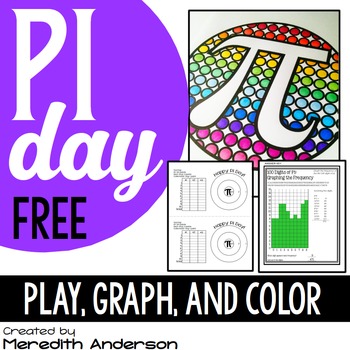
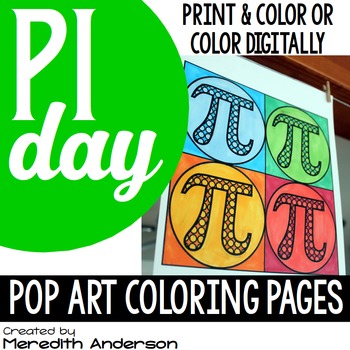
Pi Day is 3.14! How will you celebrate this year?

Pi Day Pop Art
 I love the simplicity of these coloring pages I created, and you can download one of them for free (the top left design in the image above) by going here:
https://www.teacherspayteachers.com/Product/Pi-Day-FREEBIE-Graphing-and-a-Game-1107865

Have you jumped on the bandwagon of adult coloring? These are fun for grown-ups, too. I have started coloring again and even purchased myself some really nice markers and colored pencils. It's amazing how much work it is to color and/or write when you are not used to it, and definitely gives me an appreciation of why my own kids are often resistant to writing. Long gone are the days of calloused fingers from all the writing I had to do in school. Now I just have to worry about carpal tunnel from too much typing - I'm sure you have the same issue!

In addition to the coloring page in the freebie, there is a math activity (graphing the first 100 digits of pi) and a game.

For more coloring pages, head here:

https://www.teacherspayteachers.com/Product/Pi-Day-Pop-Art-2427816

Hands on Pi Day Fun

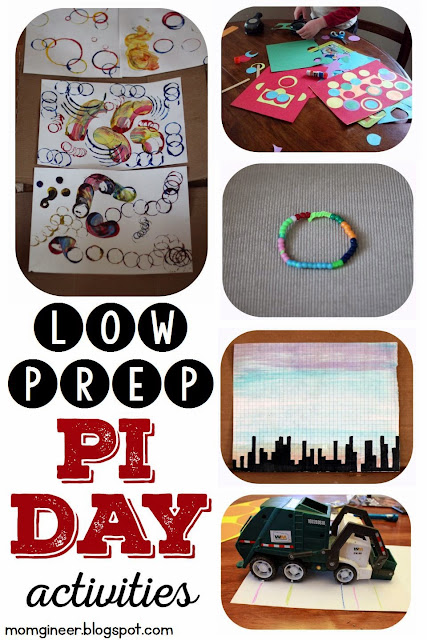
Looking for more ways to celebrate Pi Day? You don't want to miss this post - it's one of my favorites and is full of ideas to celebrate Pi Day with your students and kids! From the top left: Pi Day circle stamping art, Pi Day punched circle art, Pi Day bracelet, skyline, and a circumference experiment that will really help reinforce the idea of Pi with your youngest mathematicians!

http://momgineer.blogspot.com/2015/02/pi-day-is-on-its-way-pi-day-link-up.html

I hope you have a fun Pi Day, however you celebrate!

100th Day of School STEM Activities for Upper Elementary


Are you getting excited about the 100th day of school? This is a fun milestone to celebrate to see how far you've come. Whether you are in the classroom or homeschool, why not take the time to reflect on your year so far and where it is going. I invite you to take a moment to think of all of the challenges you have faced and how you have handled them, and know that you have the strength to face them head on moving forward.

100th Day of School? Heck Yessss!

Here is a fun way to celebrate, that even your young students can enjoy. Build a 100 block tower. You may want to have them explore first, to see how they can come up with a stable base, and how to best make it as tall as they can. If the tower keeps crashing, remind them of a time when they struggled but were able to keep at it and succeed. Maybe their tower needs to be a little shorter to be stable and strong, and that's okay!

For your older kids, this is a fun arts and craft activity that can be modified from a typical paper link chain. Why not try a 100 link web? Working together, your students can create a web, and then all hold a piece of it out. What happens when everyone supports the web? It is strong and has a defined shaped. What if you let go? It might not look like much of anything. Working together helps us reach our goals!
 

Are you a 5th grade teacher?

If you have 5th graders, the 100th day in 5th grade is also the 1000th day of school. How amazing is that? What an amazing feat! I created a fun little resource just for 5th graders on their 1000th day of school:


100th Day of School STEM Challenges on Teachers pay Teachers

If you are looking for even more 100th day celebration ideas, I would love for you to visit 100 Days of School STEM Challenges! Included are a variety of STEM challenges such as the two listed above, as well as many others to help you celebrate this fun day in style! Instructions, photos, and recording pages are included, as well as a "100 Days of Learning" banner:


Celebrate yourself! You are rocking it. You have made it 100 days and are over the hump. Warmly,

Music Week FREE Resource Roundup

Are you trying camp with Google this summer? Week 4 is Music Week, and here are a few extra freebies for you!


Links to the resources shown above, starting from the top:
Bird Songs Listening Music Freebie by Cori Bloom
Musical Instruments of the Orchestra Playing Cards by Stephanie Morris
Composer of the Month: Dvorak by Music with Sara Bibee
Freeze Dance by Lindsay Jervis
Roll a Rhythm by Floating Down the River Linda Seamons

Other ways to support the Music Week theme:
Craft: Make some rubber band instruments, drums, or rain sticks!

Movie: Fantasia, The Muppets Movie, Mary Poppins
Field Trip: Does your town have free summer music concerts? If so, check one out!
Hands-on Music: Try Boomwhackers! We love them for medium-sized groups.


Online learning: 
Listen to a variety of music all week! Try classical, folk, pop, hip-hop, and so on. You never know what might resonate with your kids.

Try Sphinx Kids! There are some fun musical games on this site:

http://www.sphinxkids.org/index.html

Try this site from the San Francisco Orchestra, too:

http://www.sfskids.org/


Please note, while the above resources are free at the time I'm posting this, sometimes they don't stay that way. Apologies in advance if any of the above links are either not working or are no longer free.


Nature Week FREE Resource Roundup

Are you trying camp with Google this summer? Week 3 is Nature Week, and here are a few extra freebies for you!
Links to the resources shown above, starting from the top:
Nature Grab Box Freebie from Green Garden Grubs Club
Landforms Dictionary by Miss Martin's Classroom
Habitats of the World by Fluttering Through First Grade
Animal Adaptations by Tarheelstate Teacher 
Parts of a Plant by Promoting Success

Other ways to support the Nature Week theme:
Craft: Paint bark, rocks, or pine cones!

Movie: March of the Penguins, Up
Field Trip: Nature hike, zoo.
Meal:Go berry picking (or find some locally grown food at your local farmer's market)!

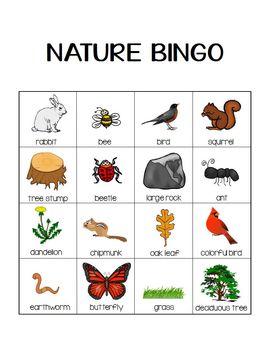
Game: Try Nature BINGO (free)! 


Online learning: 
Listen to the calls and songs of various birds!


http://www.allaboutbirds.org/page.aspx?pid=1059

Learn about volcanoes at National Geographic.

Watch a time-lapse video of a seedling growing:

http://www.neok12.com/video/Time-Lapse-Videos/zX000e665066767b7b72457b.htm


Please note, while the above resources are free at the time I'm posting this, sometimes they don't stay that way. Apologies in advance if any of the above links are either not working or are no longer free.


Draw and Write Paper: FREEBIE FRIDAY!

Draw and Write Paper


A few years ago I created some simple draw and write paper to use at home with our Draw Write Now books. I decided to update the paper and add several more options! These are available for free download at my Teachers pay Teachers store:

Draw and Write Paper
Create short stories, work on sequencing, instructions, and more, and illustrate them as you write!

http://momgineer.blogspot.com/search/label/download?max-results=12

FREEBIE Friday! (one day late)


I have decided to make my alphabet printing pages, AlphaMats, an exclusive freebie from my blog! Each page is provided in color and black and white. Use the color if you are making laminated/reusable wipe-off mats, or black and white to print a book for each of your students! I meant to get these posted yesterday but time got away from me. =)

Alphabet printing pages


Enjoy! Here's a larger sneak peak at what they look like:


New FREEBIE up at TpT! Math Operations Posters!

Math CLUE Words


I have created quite a few word problem resources over the years, but wanted to share a few free tools to go along with them. The first freebie I've created are math clue words posters. These are already hanging on our homeschool classroom wall, and hope you can use them, too. Operation clue words math posters!

http://www.teacherspayteachers.com/Product/Math-Clue-Words-Posters-FREEBIE-1649893

Word problems are life problems! They can help one see the practical application of math in real life. Sometimes, though, a word problem can be difficult to understand. These clue words, when used in addition to foundational math skills, can be a helpful tool for problem solving. Have your students refer to the posters if they are feeling stuck or overwhelmed by the problem.

You are welcome to add your own words as well, or take away any that you don't come across in your grade level, by gluing white card stock over them or whiting them out. You can lay them out next to each other, distribute them evenly on your classroom walls, or arrange in a 2 by 2 array, as shown above.

Stay tuned as I am working on another word problem tool.

New Winter FREEBIE up!

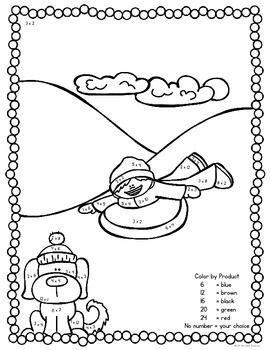
A slight twist on the standard color-by-number. I have uploaded a new freebie:
  • color by product
  • color by equivalent fraction
  • color by state of matter
  • color by verb tense
http://www.teacherspayteachers.com/Product/Winter-Coloring-FREEBIE-for-big-kids-1602086
http://mcdn.teacherspayteachers.com/thumbitem/Winter-Coloring-FREEBIE-for-big-kids-1602086-1418222406/original-1602086-2.jpg

http://mcdn.teacherspayteachers.com/thumbitem/Winter-Coloring-FREEBIE-for-big-kids-1602086-1418222406/original-1602086-2.jpg


Enjoy!