momgineer: LEGO
Showing posts with label LEGO. Show all posts

STEM Activities for Legos


How to Use Legos in STEM Class

Find the updated post here at STEM Activities for Kids!


I love using legos for STEM building projects! They are easy to work with, keep clean, and can be reused. If you were wondering how to use legos or generic building bricks in a more intentional way, I have the resource you are looking for!

Introducing STEM Mats

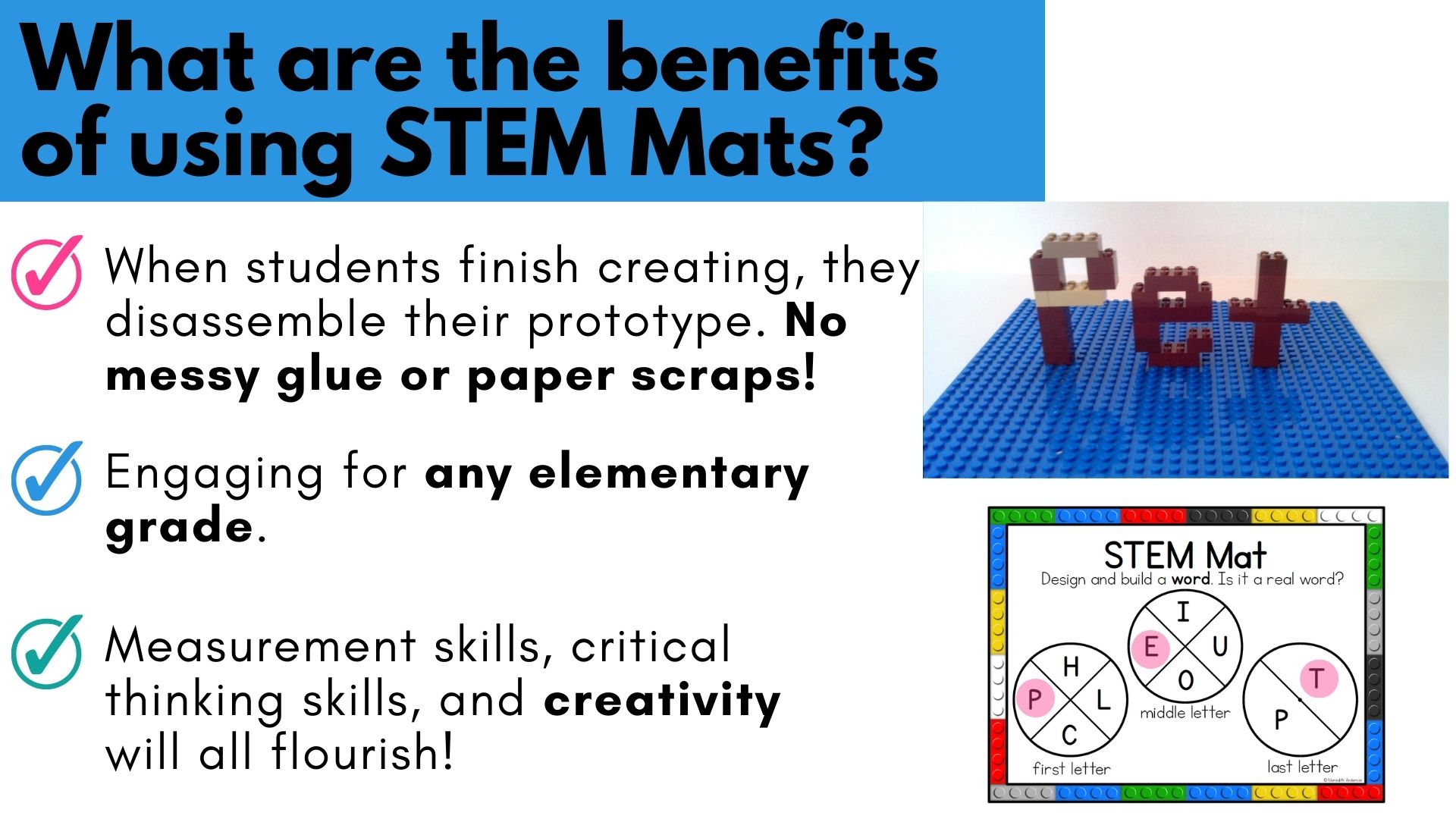
What are STEM mats? I created a set of reusable mats that have design constraints and criteria as part of the building task. Students will use a paper clip and pencil to spin their challenge! For the above example, students are tasked with creating a tower. The shape of the base is defined by the STEM mat as well as the minimum height. Because there are at least 2 criteria per challenge, there are many combinations of tasks to be built! How students will go about creating their prototype will change depending on the mat and the constraints.

Where are the building instructions?


I have received this question before on my STEM mats, and it's also been suggested to me that building instructions would make this resource better. However, these tasks are not like a lego building set you would purchase at your local toy shop. Students must come up with a plan of their own. They may or not be successful in meeting the criteria. What is important is that they work toward a solution. The attempt is the important part of this task! If they don't get it right the first time, they can make modifications and try again.

Why should you try STEM Mats?


  • STEM mats are easy to set up (provided you have building bricks!). You don't need specific sizes or styles of bricks - students must use whichever bricks you have available. When they are finished, they will disassemble their creation.
  • These tasks keep students engaged for a good amount of time! They can be used in STEM class, for indoor recess, or during a STEM family night. While some tasks will be simpler than others, all will require planning time, building time, modification time, and clean up!
  • Most of the STEM mats require students to measure their prototype! That means they will get practice using measurement tools and other hands-on math skills. You will also see students get more and more creative as they get used to using the mats.
  • Once students have used STEM mats once, you can set up a station of them and students can work independently.

Can I try out STEM Mats?

Yes! I created a separate post about STEM mats for building bricks over at STEM Activities for Kids, and you can download a sample to try them out.


Download STEM Mats Now!

Already know you want to get STEM mats and use them? Find them all here:


Activities to do with The Dot for International Dot Day

International Dot Day Activities

The Dot, by Peter H. Reynolds, has turned into more than just a read aloud about overcoming frustrations and encouraging others. It's an entire movement now! For any child who feels as if they are "not enough," this story will hit home.


Two quotes that came to mind when reading this book:

"The best way to get things done is to simply begin."  - Unknown

"Believe you can and you're halfway there." - Theodore Roosevelt

Disclaimer: I may earn a small commission for my endorsement, recommendation, testimonial, and/or link to any products or services from this website. Your purchase helps support my work in bringing you downloads of value and information about educational resources. The link below is an Amazon affiliate link. You can read my full disclosure here.

Warm up the Brain for Creativity on International Dot Day

Not only does drawing wake up fine motor skills, it allows an emotional connection and creativity to blossom. Start drawing or painting with a dot!

Move on to STEM Activities with The Dot
All budding artists need proper tools to draw and paint with. They also need an appropriate place to do it! Vashti would appreciate a desk just for art! Why not make it a "Dot Desk"?


Design and Create an Easel

Sometimes a desk won't cut it. Why not create a tabletop mini-easel?

Easels gained popularity as canvas paintings became more common. You can view your artwork more easily from a distance when it's on an easel, and it gives you a different perspective than a desk view. Easels are also great for displaying finished works of art!


Design and Create a Painting Tool

If you haven't tried these painting methods with kids, you're missing out:
  • sponges
  • painting with bubble wrap
  • painting by rolling marbles
  • finger painting
  • spin art

There are SO MANY fun ways to paint! Have your students design their own unique painting device using pom poms, sponges, rollers, cardboard, etc.


Read The Dot, by Peter H. Reynolds

*by ordering from this link I may earn a small commission as an Amazon associate member. You can read my full policy here.


Download this FREE Resource

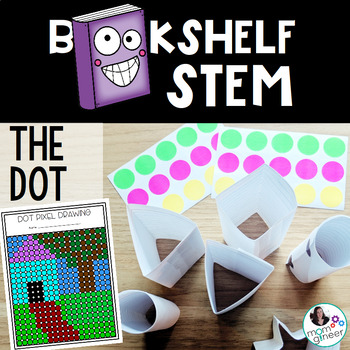
I created this resource to use with The Dot book on International Dot Day. I hope you enjoy the activities!


https://www.teacherspayteachers.com/Product/Dot-Day-STEM-and-STEAM-Activities-4841433?utm_source=Momgineer%20Blog&utm_campaign=The%20Dot%20Post
Save these ideas for later!
Pin them:


St. Patrick's Day STEM with a Leprechaun

Fun STEM Activities for Elementary Students on St. Patrick's Day

STEM That is Easy to Implement

This is the fourth installment of the "Pick the Path STEMventure" series. I wrote a short story about a leprechaun called Larry for St. Patrick's Day. No, we are not trapping the leprechaun! That has been done enough. In the story, Larry the leprechaun gets the opportunity to earn gold coins on St. Patrick's day by successfully completing various STEM challenges. Students choose how they want the story to progress; in completing the story students will complete 3-4 challenges. The story not only guides them through the engineering design process, it includes design constraints and areas for them to fill in their thoughts, plans, and testing data.

A Few of the Challenges Included 

Up first, is a rainbow challenge. If you are studying light, this is a great time to do this challenge. In addition to the stories requiring students to design and test structures, they will be exposed to various science and technology concepts, such as dimensional constraints, malware, and the color spectrum.

Another St. Patrick's Day STEM Challenge - Unplugged Coding


Not all kids love coding, but it is still great to expose them to simple logic problems that are the basis of coding. Creating a path is a simple way to have kids think ahead and plan out a set of directions.


This challenge has two versions, plus I included extension options in the digital download for additional challenges. The other challenges include:
  • a slide
  • a musical instrument
  • a bank that holds gold coins
  • two bonus challenges, including a gold coin flipping device!
You can do several of the challenges mentioned above (aside from the coding one) without the resource I created, though if you would like it for the story and guided design process, keep reading. Here is an example of the slide challenge:


Watch a Video Overview of St. Patrick's Day STEM


Find this STEM Resource on Teachers pay Teachers

If you would like to use the story and printables I've created, you can find them on Teachers pay Teachers at this link St. Patrick's Day STEM:

https://www.teacherspayteachers.com/Product/St-Patricks-Day-STEM-Activities-with-a-Leprechaun-3647067


or save these ideas for later by pinning this on Pinterest:


Top 3 Fun Halloween STEM Activities for Kids

Halloween STEM Builds!

Do you love doing holiday-themed building challenges? Use building bricks in 2D designs for younger kids, or 3D for kids who are expert builders. Here are some fun ideas to get started for Halloween:


What do you think of first with Halloween? I know one of my kids' favorite traditions is carving their jack-o-lanterns.


It is trickier than it seems to get the expression right, so it's a great one to work on with persistence. The above jack-o-lanterns are what I mean by 2D. They aren't really 2D but they are flat. Creating a spherical shape with bricks is far more challenging and should only be attempted if you have expert builders. Also, orange bricks aren't always easy to come by, but remind your kids of white pumpkins! I have grown these in my garden before and they are quite striking.

If you are thinking you need an easier challenge, try a spider:


Maybe the spider has 8 legs of different length, or is red. It might not even look that much like a spider when it's done, which is okay! It's all about exploring with space and building, finding the pieces to make it "just right."

Some kids do well with a defined challenge, such as the two above, but others really soar when the challenge is open-ended. Design and create a creature! Some kids will stick with a traditional Halloween creature, like a bat or a cat. Others might be into zombies or skeletons or vampires. Why not? Let them see what they can come up with:


If you are looking to make this a more educational activity, I have developed a set of STEM mats with design criteria. Students will measure their creations, count bricks, and build according to the mats.
https://www.teacherspayteachers.com/Product/Halloween-STEM-Center-for-Building-Bricks-STEM-Mats-3378648?utm_source=Momgineer%20Blog&utm_campaign=Halloween%20STEM%20Mats


Or, pin the image to save it for later:


What are STEM Mats? Watch the video to find out, and get a sample STEM mat to try it out.


Stop Motion Animation STEAM Project

Stop Motion Animation for Kids

Is the creativity and imagination of kids the 8th wonder of the world? Sometimes I think it might be. One of my favorite things to do in the makerspace is to observe the kids when they are creating their own stop motion animation projects. It's always a hub of joy and excitement. You can also make this a true STEAM project by exploring science topics, calculating frame rates, and working with numerous tech tools such as photo editing software, microphones, and various animation programs.

There are many apps and programs you can use to create stop motion animation films that are kid-friendly:

  • or iPhone or iPad: Stop Motion Studio, StopAnimator, iMotion, iMovie,
    Frameographer ($), iStopMotion ($)
  • For Android devices: Clayframes, Stopmotion Studio, Stop-Motion
    Movie Creator (Minecraft)
  • For Windows: I Can Animate 2, qstopmotion, Hue Animation Studio 
  • For Chromebooks, you can use the app called "Stop Motion Animator" for physical stop motion. You can also try digital stop motion with google slides and try something like the red ball challenge.
If you have another one you enjoy, please feel free to comment below!


Create a Stop Motion Animation with these Steps

1. Brainstorm ideas for the film.


I'm not going to lie. This is probably the most challenging part of the process when working with groups of kids. One will want superheroes, another will want Star Wars, a third will hate both those ideas and only settle for something really gory. Start with a simple list and set ground rules if there are certain themes you want to avoid. Try to separate the groups by interest. The most important part?

KEEP IT SIMPLE.

Let me say that again slowly.

Keep

it

simple.

It takes such a long time to film a stop motion animation films that you will likely only get 1-2 scenes done. Have the kids focus on one character, what that character is doing in the scene, and what they are interacting with. Try not to have too many props in the scene that need to be adjusted with each frame.

I prefer to have kids work with LEGOs for stop motion animation because it is easy to keep track of where all the pieces are on base plates. If you need to pause filming for a day or the set is disturbed, it's not impossible to set it back up again.

2. Possibly more important than the plot is the lighting.

This might sound crazy at first, but there is nothing worse than capturing hundreds of frames for your stop motion animation only to watch it and see constant light flicker. If you do not set up your lighting, you will have light flicker, either from sun peeking in and out from clouds, or from shadows of the animators. Use two desk lamps to avoid light flicker and cancel out shadows, or invest in some quality lighting. Be sure it isn't so bright that you have glare!

3. Make a plan, Stan.

Have your kids come up with a plan for the scene. They will start to get ideas for the set and solidify the actions their character is taking in the animation. The storyboard doesn't have to be elaborate but it can really help kids define the scene.

4. Design the set.

This will be the highlight of the experience for some of the students. It's where they get to create their world and imagination comes to life. The simplest set can just be a backdrop. A more complicated set can have some props, but try to keep them to a minimum as they can be complicated to work around when filming.

5. The fun part! Filming the stop motion animation.

Okay, well *some* kids will have fun with this part. Many will have the patience to move their characters just a little each frame, but some will get frustrated with this part. If that is the case, you can have the kids switch off being the director or the photographer. They can make sure that all characters in the scene are moving at roughly the same rate as each other, and check to make sure the captured frames look good. If a set gets moved, they can also line it back up again.

6. Editing your stop motion animation film.

Did the set shift in a frame? Maybe you captured a hand in a frame? One frame just doesn't line up quite right? It's time to remove those frames. If you have kids who are skilled at photo editing, they may be able to manually edit frames that didn't capture correctly. This is also a great time to loop any frames that make sense to loop. If the characters are having a dance party, for instance, there is no reason you can't duplicate frames and loop them several times. It will add significantly to the length of the film. You can even drop them in in reverse, like Boomerang for Instagram.

Don't have fancy photo editing software? Try Gimp. It's free!

7. Testing, testing, 1, 2, 3.


This is the most exciting part, next to watching the film. It's time to add sound effects or green screen effects, and record any voice overs. You can have students plan out what they are going to say and write it down, then practice as they watch the animation. Do a practice run, and then record sounds. It might take a few tries to get it right but it will take far less time than all the other steps. You can also add any beginning and ending credits at this time.

8. Movie time! 

I promise that the kids will want to watch their film over and over the first time they see it. Thankfully it is also probably only about 30-60 seconds long.

Here are a few images from past projects:
beach scene set

Minecraft kit animation
simple brick film set
Looking for more stop motion animation project ideas and tips? I have created a guide that supports this activity in a meaningful way. You can check it out here:

https://www.teacherspayteachers.com/Product/Stop-Motion-Animation-STEAM-Project-3211523?utm_source=Momgineer%20Blog&utm_campaign=Stop%20Motion%20STEAM


or pin this idea for later:

Stop Motion Animation STEAM Project for Makerspaces - Meredith Anderson Momgineer

* Thanks to EduClips for many of the clip art images used in the post.

STEM Builds for Easter

Easter-themed STEM Builds!


Do you love building holiday-themed objects with your kids? You can build in 2D for younger kids, or 3D for kids who are expert builders. The little ones' imaginations and creativity never cease to amaze me. Here are some fun ideas to get started:
  • Animal Easter STEM  - rabbit, chick, or duck
  • Food Easter STEM - carrot, jelly bean, egg (think outside the box - do a whole egg, or for something different try a fried egg!)
  • Object Easter STEM - egg holder/cup, basket, jelly bean dispenser
If you are looking to make this a more educational activity, I have developed a set of STEM mats with design criteria.

Pin the image to save it for later:

Or, get the STEM Mats now:
https://www.teacherspayteachers.com/Product/Easter-STEM-Center-for-Building-Bricks-STEM-Mats-3061382

What are STEM Mats? Watch the video to find out, and get a sample STEM mat to try it out.


Back to School STEM - Team Builders and Activities


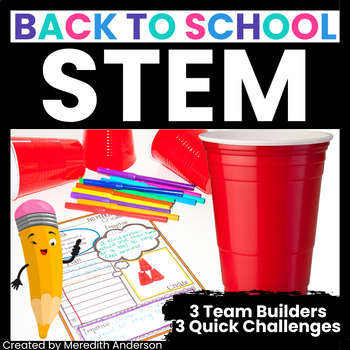
Back to school time can be filled with stress, for both you and the students. With the transitions and demands of a new school year, you might not think you have time to do something that seems like an end of the year treat with your new students. While going over procedures and expectations is on the top of your list, I hope you will consider using some unique team-building and ice-breaking activities with your students. They will help build trust and cooperation and start off the new year on the right foot! Watch the video or read on:


A Tower STEM Challenge 

One of the most fun back to school STEM challenges is the No Peeking challenge! If you have ever tried a STEM challenge with your students before, there is a good chance it involved tower building. Whether you used cups, blocks, marshmallows and spaghetti, or some other material, this is a very common starter STEM challenge.

Back to school STEM gives it a slightly different twist! You can see in the image above what that is. That's right, for this challenge, the builder will be blindfolded (or have their eyes shut!). That means the rest of the team needs to tell the builder how and where to build the tower using verbal commands. Tower building has never been so difficult, or more fun!

There are several modifications for this one but I know it's one your students will be talking about for weeks! Here's another action shot with a variation (behind the back tower building - this is not only a mental challenge but a physical challenge as well):

Brain Busting STEM Challenge - Memory Dash 

Another fun cooperative challenge that will also stretch your students' brains? Memory Dash!

Memory Dash requires the students to plan, in a team, how they can recreate a pre-made structure. The catch? They need to commit the structure to memory first, then instruct the rest of their team on how to build it (without helping in the actual building). It sounds simple but it can be extremely challenging. Each student can then have a chance being the "instructor."

The plan is actually quite important, which they will quickly realize the first time through the challenge. Subsequent attempts will go much more smoothly as they tweak their communication and assembly process! Tip: keep the structure simple and have each team recreate the same one. Use simple manipulatives like cubes, dice, etc. Time the challenge with a stopwatch or timer. Your students will hopefully improve their assembly times with each attempt, using what they learned from previous attempts.

This challenge can give students a great perspective into what your job is like as a teacher. Because one of the team members needs to instruct the rest of the team, they need to make sure they not only communicate clearly, but that the rest of the team is actually listening to what they are saying and then following through on it!

Back to School STEM Pencil Challenge

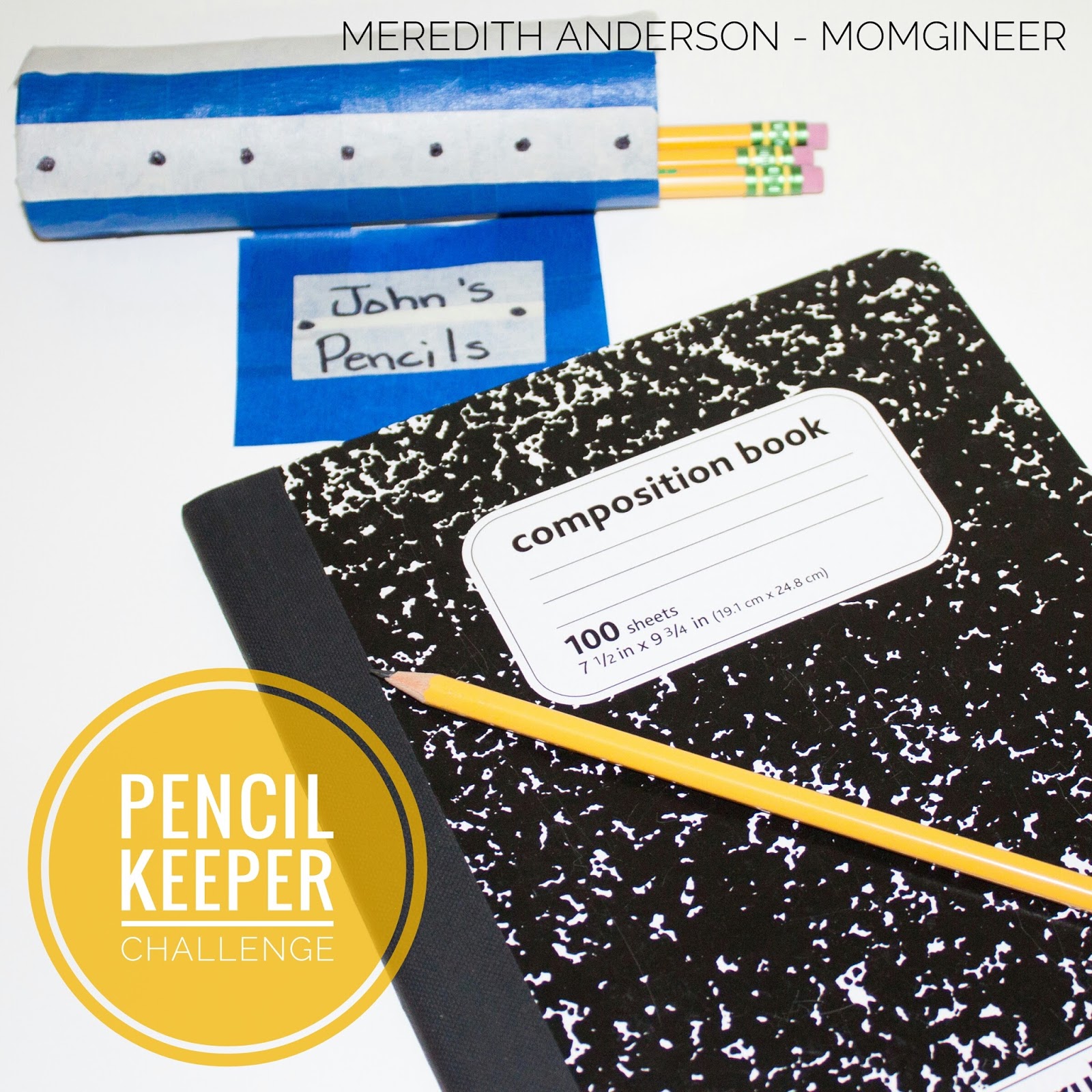
In addition to the team builders included in the Back to School STEM resource I put together, there are also individual challenges that can be done when you need to take a brain break, or if you need tasks for early finishers. One of these is even practical for your classroom: the Pencil Keeper Challenge!


Do your students lose track of where their pencils are? They may be more apt to keep them where they belong if they have a device they've made on their own. They can take pride in it every time they use it! You can also have them design pencil keepers to host pencils in various parts of the classroom if you'd like! I hope these give you some ideas of ways you can start off the new school year with STEM! If you are looking for more ideas or recording pages for these and more ideas, please consider visiting:


Pin to come back later:
Back to School STEM Icebreakers and Team-Building Activities - Meredith Anderson Momgineer

Have a great school year!


*Photos by Snapshots by Amy