momgineer: freebies
Showing posts with label freebies. Show all posts

Zoom Tips for Teachers

Tips for Using Zoom with Your Students

A member of the STEM Teachers Group asked for everyone's best tips for using Zoom with their students. The tips were so awesome and useful that I compiled them in this post (and downloadable graphic) so that everyone could benefit!

If you have additional tips please be sure to let me know via email so I can add them in!

1. Set Expectations

Set out expectations clearly at the beginning of your meeting on a slide, or keep a poster propped up behind you with expectations and procedures. Build community by having your students help come up with expectations and procedures!

2. Use the Waiting Room Feature

Use the virtual waiting room feature and enable the doorbell sound/chime when
someone enters. Not only will it alert you if someone enters late, it will help keep your meeting more secure. Once all students arrive, lock the meeting.

3. Make Sure to Mute

Make sure your meeting is set to "mute upon entry" and encourage your
students to mute themselves after speaking.

As a backup option, learn where the "mute all" button is in the event they
forget to mute themselves!

4. Set a Meeting ID

Set up a meeting ID and password so it's always the same for a particular group.

Beware, though that if the link gets shared with others you may need to change it.

5. Use Breakout Rooms

For small group collaboration, utilize the breakout room feature. Rotate through to pop in and check on each group. *Breakout rooms may need adult supervision, so ask for volunteer helpers if possible.

6. No Annotation, Chat, OR Screen Share

Turn OFF annotation and screen share, or students will be able to draw on the screen or share their own screen with everyone.

Turn OFF chat for everyone but the host.

7. Basic Requirements

Consider having basic requirements for your meetings for your meetings, such as:
  • Students must use their real name when logging in.
  • Cameras must remain on.
  • Students must virtually raise their hand to speak.

8. Headset Quality

Built-in microphones are often not clear. Your voice should be clear for the
students and you want your ears to be comfortable, too! Invest in a good headset or mic.

9. Try New Things

Not only can you keep your meetings more interesting, you can make them run more efficiently if you keep tabs on what your students see as a student participant, using keyboard shortcuts to not have to constantly search in menus for what you need, and having a variety of ways to interact to keep students engaged.
  • Backgrounds
  • Split screens
  • A document camera
  • Using two computers/devices (one as yourself and one as a student)
  • Learn keyboard shortcuts

10. Pre-record

Pre-record video lessons for your students to watch prior to your meeting, or find a suitable YouTube video on the topic you are teaching. Give students tasks before the meeting, so that when you do meet, you are following up with them and addressing issues or questions.

11. Take Breaks

Have a fun activity like scavenger hunt while students are waiting to join. Try quick brain breaks, stretching exercises, or mindfulness activities to help your students stay focused.

12. Be Willing to Learn

If you have a meeting that didn't go well, take a deep breath and try again next
time. There will be kinks to work out, but enlist your students to help brainstorm
ways to make your meetings work for everyone!

Download the tips! You can download this graphic to keep a copy of the tips:


Do you like STEM? Try Elementary STEM Club!

You may have noticed that little logo at the bottom left corner of the image for Elementary STEM Club. If you are a K-5 teacher and incorporate STEM, or a dedicated STEM teacher, I would love for you to check out Elementary STEM Club!


What is it?
Elementary STEM Club is a 3-month experience to kickstart your back to school months with support, activities, and tips for navigating the year, whether you are in person, distance teaching, hybrid teaching, or mobile.

Each month, you will gain access to:
    • A tried and true STEM resource with a video walk-through of what you need to get started, how to use it, and tips for success.
    • A LIVE panel discussion, featuring educators chatting about a timely topic in STEM.
    • A book chat: a focus on K-5 picture books to enhance your STEM lessons and learning.
    • Some surprise bonuses along the way (from our hosts, presenters, and guests)!
    • Interaction with other STEM educators in the private Facebook group and club site - you may even find your new STEM teacher bestie!

      Most of all, you will receive a solid foundation and the support you need this fall to start your school year off right.

Find out more about Elementary STEM Club:


Pin these ideas for later:


9 Ways to Use Task Cards in the Classroom

Task Cards Can Be Used a Variety of Ways


Task cards have become a staple in the elementary classroom. They are so versatile for reinforcing learning; if you haven't tried them yet, I highly recommend them. They reusable year after year, so after you prep them once you are good to go storing them for the next year.

1. Use Task Cards at Your Centers

This is definitely one of the more obvious ways to use task cards. Prep your task cards on card stock, laminating if desired, and store in pouches or small containers. Provide blank paper for recording or use recording sheets that come with your task card resource. Students can work through the appropriate task cards to reinforce whichever concept you are currently working on.

2. Use Task Cards in Your Interactive Notebooks

This method will require that you print out multiple copies of your task cards, however then students can review them at any time! This is particularly helpful if you have ELA or Math INBs because students can then return to the cards to study for standardized testing. For a more detailed look at using task cards in interactive notebooks, visit this post.

3. Use Task Cards as a Whole Class Activity 

Use a document camera and work through the problems concurrently or together!

4. Use Task Cards to Host a Mini Quiz Bowl

Most task card resources come with a number of task cards. Split your class into teams of 3-4, use a document camera or project one card. Have a team "buzz in" to answer the question and keep score. Winning team gets bragging rights!

5. Use Task Cards to Play Scoot

If you haven't played SCOOT, Jenny has written a great post about it! Check it out here.

6. Use Task Cards for Homework

Assign 1-4 task cards, depending on difficulty and have students complete the cards at home.

7. Use Task Cards as Exit Slips

Do a quick check on student understanding and learning by using task cards as exit slips.

8. Use Task Cards for Early Finishers

Keep a variety of task card sets available, including ones that are at a "challenge" level for your students. If they have finished their work and could use a challenge, this is a great way to provide enrichment. If you are using task cards with QR code answers, these will even be self-checking. Read more about QR codes and task cards.

9. Use Task Cards as Sub Tubs or Sub Plans

You can have a variety of task cards in different subjects saved for a sub. When the inevitable stomach bug or flu rolls through the school (or through your own child's school), your sub plans will be ready to go!


Free Task Card Download

To get you started, this is one of my most popular free downloads! There are 16 task cards to get you started with a fun animal theme! These have been designed for 4th grade but will also work in 5th or as challenge cards in 3rd:


Quick Links to Other Popular Task Card Resources

All Task Cards

Task Cards for 1st Grade
Task Cards for 2nd Grade
Task Cards for 3rd Grade
Task Cards for 4th Grade
Task Cards for 5th Grade

Best Selling Task Cards! This is by far my most popular set of Fractions task cards:
https://www.teacherspayteachers.com/Product/Fraction-Task-Cards-Math-Review-for-4th-Grade-821799?aref=o815ctra&utm_source=Momgineer%20Blog&utm_campaign=9%20Ways%20to%20Use%20Task%20Cards%20-%204th%20fractions%20set

Yet another topic that seems to be difficult for students to master is equivalent fractions, but you can find those task cards here:
https://www.teacherspayteachers.com/Product/Equivalent-Fractions-Review-and-Test-Prep-Task-Cards-1372924?aref=sfmn88uk&utm_source=Momgineer%20Blog&utm_campaign=9%20Ways%20to%20Use%20Task%20Cards%20-%204th%20equiv%20fractions%20set


Pin these Task Card ideas for later:


Demystifying STEM with SOLIDWORKS Apps for Kids


Demystifying STEM with SOLIDWORKS Apps for Kids

Let’s face it: sometimes, getting kids into STEM is hard. You can preach the gospel of science, technology, engineering, and math all day long, but if a kid feels like their creativity and imagination are being stifled by rules and numbers, “STEM” can quickly turn into “STOP.” SOLIDWORKS Apps for Kids was created with this in mind.
SOLIDWORKS Apps for Kids is an ecosystem of apps meant to nurture new designers from age 4 and up. With Capture It, Shape It, Mech It, Style It, and Print It apps, kids are introduced to real-world workflow practices like ideation, creation, enhancement, and production in a fun and accessible way. The apps empower kids to learn while allowing their creativity to flow, giving them multiple methods to design and turn their craziest ideas into reality.

Meet the Apps 

http://www.solidworks.com/a4k_momgineerblog

Capture It is a personal inspiration app, where kids can add photos, draw their own images and turn them into stickers, and create an idea board for all the designs that will come next.

Anyone who is familiar with 3D modeling will recognize Shape It, a kid-friendly, easy to use CAD app that allows kids to shape, prod, and pull material into their very own creations.

http://www.solidworks.com/a4k_momgineerblog
Two kids might create similar models, but with the Style It app they can really make their own designs pop. Kids can transfer models from Shape It to Style It and use colors, stickers, backgrounds, and more to decorate and make their model truly unique. Create a cute and happy spider or your own Mars rover.

With the Print It app, kids can watch their designs come to life. Print It gives kids the ability to 2D print or 3D print their designs, and also allows them to learn about isometric views in a cool way with the Cube Print function. Keep reading to see an example of the Cube Print function.

Is your child more interested in motors and linkages? With the Mech It app, moving machinery is in within arm’s reach, with cool and colorful spiral designs that kids can tweak in any which way they like.
http://www.solidworks.com/a4k_momgineerblog


Mech It was definitely my favorite app to try out! Join a few bars together, add a motor, and then hit play to watch it go! You can even slow it down and speed it up with the slider bar. Here is a simple crank-rocker mechanism I created:


Pro Tips to Get Started Successfully with SOLIDWORKS Apps for Kids

1) Start with the Videos

When you try out the apps, make sure you start with the videos! They are short but all very helpful so that you can get started right away and learn what all the different options are for drawing, styling, and modifying designs. Especially for kids new to CAD, this is SO helpful! Just click the ? in the upper right corner of the screen at SOLIDWORKS Appsfor Kids to find all the videos to get started on the right track.

2) Utilize the Public Projects

Navigate to the public projects, find one you like, then click on the copy icon to "Riff."


3) Start tinkering!

Dive right in and start tinkering with whichever app appeals to you most!

4) Remember to Print it

One way for kids to show what they created is to print it. You can create 2D prints on paper, with or without a background, on a 6-sided cube, and in color by number style (what?!!! This is so awesome!). You can even 3D print your kids' creations. I constantly get asked for project ideas for 3D printing. These apps have got you covered; design, go to print it, and grab your STL file. Explore the Print It app and never run out of ideas for your 3D printer.

http://www.solidworks.com/a4k_momgineerblog

Internet Safety and Privacy


Projects in SOLIDWORKS Apps for Kids are always private until you decide to share to the Apps for Kids Public Gallery. Users can “riff” on public projects—your kid might see a cutesy bunny design, like it, then riff on that project and transform that bunny into an out of this world alien. Creativity, imagination, and community are all part of the Apps for Kids ecosystem.

STEM Block, Tech Lab, or Makerspace

Educators across the country have embraced SOLIDWORKS Apps for Kids as a means to teach their students about design and engineering. Now, the Apps for Kids Classroom interface allows teachers to create and organize self-contained workshops.

http://www.solidworks.com/a4k_momgineerblog

Use at Home Together

Parents, do not deprive yourself of the opportunity to create something magical and fun with your child. Work together to create a robot army, an enchanted land, or a space adventure!

While there are dozens of apps out there that may enhance STEM learning, these apps are truly a complete suite of apps. There is something for everyone, whether your students lean more toward revising and enhancing designs or creating something brand new from scratch.
If you give kids the means to express and create, to engineer and tinker to their heart’s content, they can learn that STEM exists beyond numbers and rules. With SOLIDWORKS Apps for Kids, they are already there. Learn more about all the fun things you can do with SOLIDWORKS Apps for Kids right here.

Pin These Ideas for Later


Is Tpt for Schools Right for You?

How TpT for Schools Works

  • Your administrator joins TpT for Schools (it's free).
  • They invite you and your colleagues to join.
  • You request resources you need for your students.
  • Your administrator approves and purchases resources for you.
  • The resources are automatically delivered to your TpT account.
https://schools.teacherspayteachers.com/?utm_term=28tpt28b&utm_source=TAToolkit&utm_medium=T-A&utm_campaign=meredith2blogpostA

How does TpT for Schools benefit teachers like you?


More resources. Get more of the TpT resources you love. How? Request to have them paid for with school funds.

More inspiration. Find more great ideas for your classroom. How? See what resources other teachers in your school are finding and requesting.

More engagement. Spark more student learning with the most engaging, up-to-date resources. How? Use resources created by educators who understand what works in the classroom.


Get the conversation started! Click here to learn more about Teachers pay Teachers for Schools:
Easy access to resources you need, and it's so easy to join! How? Your administrator joins TpT for Schools (it's free).They invite you and your colleagues to join.  You request resources you need for your students. Your administrator approves and purchases resources for you. The resources are automatically delivered to your TpT account. | Meredith Anderson - Momgineer

STEM Free Resource - Voice Muffler!

Try a STEM Challenge Your Students will Love

Are you thinking about trying a STEM challenge with your kids?

I have a freebie I'd love to share with you. I hope you will try out; I know your students will love it! You can download it here:

https://www.teacherspayteachers.com/Product/STEM-Sampler-Pack-2220744?aref=lqtql6rh
Try a sound STEM challenge - a voice muffler! | Meredith Anderson - Momgineer

Follow the Engineering Design Process and Learn about Sound

Students will follow the engineering design process to create their very own voice muffler. If you are studying sound, this is a great resource to use. You won't need a lot of expensive materials and this is a fun one to test out. Best of all, you don't need any marshmallows or spaghetti.

What's inside? Well, initially I thought about having the kids design and construct a megaphone.


Thirty seconds later a voice in my head scolded me: 

I thought more about it and...

Forget about a megaphone. Instead of turning UP the sound, let's try to turn it DOWN.
Woohoo!

The best part of this challenge is that you can keep the best voice mufflers handy in case you are having one of those days where you just need to belt out something really loudly but know you can't. Just use the voice muffler and then go about your business as usual. Enjoy!

Save these STEM ideas for later by pinning them:
Voice muffler sound STEM challenge. Can you hear me? | Meredith Anderson - Momgineer


100th Day of School STEM Activities for Upper Elementary


Are you getting excited about the 100th day of school? This is a fun milestone to celebrate to see how far you've come. Whether you are in the classroom or homeschool, why not take the time to reflect on your year so far and where it is going. I invite you to take a moment to think of all of the challenges you have faced and how you have handled them, and know that you have the strength to face them head on moving forward.

100th Day of School? Heck Yessss!

Here is a fun way to celebrate, that even your young students can enjoy. Build a 100 block tower. You may want to have them explore first, to see how they can come up with a stable base, and how to best make it as tall as they can. If the tower keeps crashing, remind them of a time when they struggled but were able to keep at it and succeed. Maybe their tower needs to be a little shorter to be stable and strong, and that's okay!

For your older kids, this is a fun arts and craft activity that can be modified from a typical paper link chain. Why not try a 100 link web? Working together, your students can create a web, and then all hold a piece of it out. What happens when everyone supports the web? It is strong and has a defined shaped. What if you let go? It might not look like much of anything. Working together helps us reach our goals!
 

Are you a 5th grade teacher?

If you have 5th graders, the 100th day in 5th grade is also the 1000th day of school. How amazing is that? What an amazing feat! I created a fun little resource just for 5th graders on their 1000th day of school:


100th Day of School STEM Challenges on Teachers pay Teachers

If you are looking for even more 100th day celebration ideas, I would love for you to visit 100 Days of School STEM Challenges! Included are a variety of STEM challenges such as the two listed above, as well as many others to help you celebrate this fun day in style! Instructions, photos, and recording pages are included, as well as a "100 Days of Learning" banner:


Celebrate yourself! You are rocking it. You have made it 100 days and are over the hump. Warmly,

Music Week FREE Resource Roundup

Are you trying camp with Google this summer? Week 4 is Music Week, and here are a few extra freebies for you!


Links to the resources shown above, starting from the top:
Bird Songs Listening Music Freebie by Cori Bloom
Musical Instruments of the Orchestra Playing Cards by Stephanie Morris
Composer of the Month: Dvorak by Music with Sara Bibee
Freeze Dance by Lindsay Jervis
Roll a Rhythm by Floating Down the River Linda Seamons

Other ways to support the Music Week theme:
Craft: Make some rubber band instruments, drums, or rain sticks!

Movie: Fantasia, The Muppets Movie, Mary Poppins
Field Trip: Does your town have free summer music concerts? If so, check one out!
Hands-on Music: Try Boomwhackers! We love them for medium-sized groups.


Online learning: 
Listen to a variety of music all week! Try classical, folk, pop, hip-hop, and so on. You never know what might resonate with your kids.

Try Sphinx Kids! There are some fun musical games on this site:

http://www.sphinxkids.org/index.html

Try this site from the San Francisco Orchestra, too:

http://www.sfskids.org/


Please note, while the above resources are free at the time I'm posting this, sometimes they don't stay that way. Apologies in advance if any of the above links are either not working or are no longer free.


Nature Week FREE Resource Roundup

Are you trying camp with Google this summer? Week 3 is Nature Week, and here are a few extra freebies for you!
Links to the resources shown above, starting from the top:
Nature Grab Box Freebie from Green Garden Grubs Club
Landforms Dictionary by Miss Martin's Classroom
Habitats of the World by Fluttering Through First Grade
Animal Adaptations by Tarheelstate Teacher 
Parts of a Plant by Promoting Success

Other ways to support the Nature Week theme:
Craft: Paint bark, rocks, or pine cones!

Movie: March of the Penguins, Up
Field Trip: Nature hike, zoo.
Meal:Go berry picking (or find some locally grown food at your local farmer's market)!

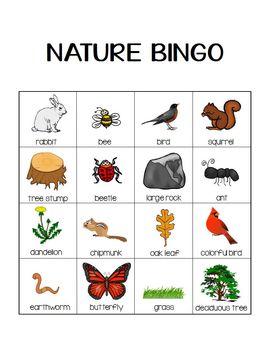
Game: Try Nature BINGO (free)! 


Online learning: 
Listen to the calls and songs of various birds!


http://www.allaboutbirds.org/page.aspx?pid=1059

Learn about volcanoes at National Geographic.

Watch a time-lapse video of a seedling growing:

http://www.neok12.com/video/Time-Lapse-Videos/zX000e665066767b7b72457b.htm


Please note, while the above resources are free at the time I'm posting this, sometimes they don't stay that way. Apologies in advance if any of the above links are either not working or are no longer free.