momgineer: TpT
Showing posts with label TpT. Show all posts

Create Digital Stop Motion Animation

 Digital Stop Motion Animation

Hands-on stop motion animation is one of my favorite STEM activities to do with kids, because it can be tied into almost any subject area, offers high engagement, and develops patience, perseverance, and persistence. It's not always an option, though, such as when:

  • Technology or materials are limited
  • You don't have space to set up and keep sets available for multiple sessions (such as if you are teaching froma cart)
  • Or in the case of no-sharing materials, hybrid or remote learning, you may not be able to do hands-on projects.
  • Your kids are working on stop motion activities as a bonus or choice activity when they may only have 10-15 minutes at a time to devote to it.

This is the perfect time to use digital stop motion animation instead!

Simple Digital Stop Motion Animation

A simple way to get started animating quickly is to use ABCYa Animate - backgrounds, characters (called stickers), and drawing tools are all built in. You can simply just jump right in and start animating!

Some of the kids on my robotics team made a stop motion animation video with ABCYa (and then did some extra edits in OpenShot). You can see the video here:


Animating with Google Slides

Almost as easy as ABCYa is to just use Google Slides. I'm not going to reinvent the wheel with a tutorial video because there are dozens of them on YouTube already (I linked some below), but here are the basics:

  1. Start with a background
  2. Add in your animated component(s) as needed
  3. Duplicate the slide
  4. Move your animated component(s) ONE ARROW keystroke in any direction (if animating text add one letter per slide)
  5. Repeat steps 3 and 4 until your animation is complete.
  6. Watch your stop motion animation video as directed in the tutorial videos and/or screen capture the video and add some cool post-edits, like music, sound, credits, etc. I like to use Shotcut or OpenShot for this.

Stop Motion with Google Slides Tutorials


Balloons Over Broadway or Thanksgiving Day Parade Stop Motion Animation

This idea came to me as a way to tie in a digital STEM activity to the read aloud Balloons Over Broadway by Melissa Sweet. Students can create their very own Thanksgiving Day Parade with floats they find on Google image search, or they can draw their own with the drawing tool. Here is a video sample of a completed project:


Why I love this project:
  • Students can work in pairs, but they could also work alone to create a single animation or a complete parade of floats!
  • Kids who struggle with drawing can use a float already found and instead apply their creativity to the animation aspect (changing size, aspect ratio, rotation) or having something exciting or unusual happen during the parade. Perhaps a bird flies by or a person photobombs the video!
  • It can easily be shared to the whole class when complete, as well as family members, and then saved as part of a digital STEM portfolio.
  • It seriously pushes the limits of persistence and patience. Stop motion animation is something that takes time and persistence to complete! Students are always so proud of their creations because they know just how much time they put into them.

Get the Resource
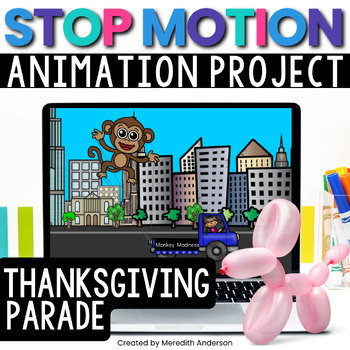
While you don't need this Digital Stop Motion Animation resource to complete the activity, I have included a background, various parade floats and vehicles, and step by step instructions so that students can do this project independently. Just download and get started right away!


Christmas Stop Motion Animation

If you celebrate Christmas in the classroom, this stop motion animation movie (or others) is so cute to create! I found just the perfect clip art elements to animate Santa Claus flying across the winter night sky. Here is a video sample:


If you want to create a winter-themed stop motion animation without Christmas theme, building a snowman is the perfect idea. I just love how this one came out:


Get the Resources


Pin these ideas for later:


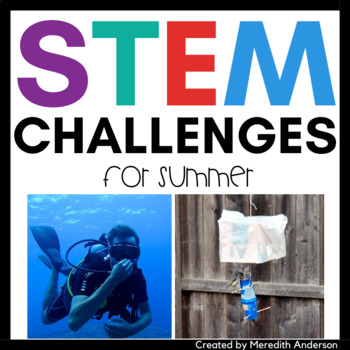
STEM Challenge for Summer with Buoyancy - Design a Submersible

STEM Challenge for Summer: Design a Submersible!

This is one of the more challenge STEM activities I have done with kids over the years! It's also perfect for summer because you will get wet!

Warning: You WILL Get Wet with this STEM Challenge

Why try this challenge? I can't even tell you how many boat challenges I have done with kids, asking for a simple craft that floats, something that can be propelled with wind (sailboat), and so on.

You have probably also done "Does it sink or float?" activities with your students over the years.

This challenge is a combination of all those!

What if we want an object to not sink,

but to float,


but not at the surface and rather about halfway between the bottom of a body of water and the top?

Gather Materials for Submersible STEM

First, gather all materials needed for the challenge:

For the water:
You will need a tub, storage bin, kiddie pool, etc. for this challenge. You will also need to fill the bin with water.

Students can create their submersibles with aluminum foil, popsicle sticks, plastic egg carton pieces, balloons, rubber bands, recyclables, pennies or small weights, etc.

Your students can start in one of two ways:
  • With an object that floats, that they will need to make LESS buoyant.
  • With an object that sinks, that they will need to make MORE buoyant.

Go Deeper with Science in this STEM Challenge

Have your students research density and buoyancy. Ask:

How does the density of an object affect its buoyancy?

When might you want a water vessel to NOT be completely buoyant?

What skills do students work on? In addition to following the Engineering Design Process to complete this challenge, students will need to work together and may need to make several modifications to improve their sail designs.

Add more rigor into this activity and download printables for students to use with the STEM challenge resource (or get the pack of Summer STEM challenges) on Teachers pay Teachers (also includes sand castle STEM and a squirrel proof bird feeder):


Pin these ideas for later:

Bingo Games in the Math Classroom

BINGO - It's not just for old people


When you think of BINGO, do you think of a room full of senior citizens with their daubers ready to go?

I'm going to let you in a secret.

KIDS.

LOVE.

BINGO.


Whether you are playing for 5 in a row or blackout bingo (complete the whole card), there is just something in the anticipation of whether or not YOUR NUMBER is going to be called next.


Most kids already know how to play this game, and even if they don't, it's so easy you don't need to take a lot of time explaining the rules (unlike a lot of strategy games that come with a tome of rules that make no sense until you have played a few times!).


Practice and Review Math Facts with Bingo

This bingo game is perfect for kids learning their multiplication facts or for review, even up through middle school grades! There is no shame in reviewing the basic multiplication tables, particularly before standardized testing. It solidifies fluency, which allows students to work on the problem solving and not make an avoidable multiplication error when under pressure.


Create Your Own Bingo Math Games

There are a number of websites you can use for personal use to create your own BINGO games. It does get a little tricky when you are creating games for math instead of with words, particularly if you are working with fractions, which can be difficult to format correctly.

Bingo Baker

Print-Bingo Custom Cards Creator (generate multiple times for enough cards)

My Free Bingo Cards

Osric Bingo Generator - Simple but gets the job done!

Purchase Pre-Made Math Games

I have made several math bingo games and am open to requests on making more (just contact me).

All Bingo Games

Or find these popular math bingo games on Teachers pay Teachers

Equivalent Fractions Bingo
https://www.teacherspayteachers.com/Product/Equivalent-Fractions-Bingo-701230?aref=s2635xts&utm_source=Momgineer%20Blog&utm_campaign=BINGO%20Games%20-%20Equivalent%20Fraction%20Bingo

Mixed Number & Improper Fractions Bingo


Pin these Bingo Math Game Ideas for Later:


9 Ways to Use Task Cards in the Classroom

Task Cards Can Be Used a Variety of Ways


Task cards have become a staple in the elementary classroom. They are so versatile for reinforcing learning; if you haven't tried them yet, I highly recommend them. They reusable year after year, so after you prep them once you are good to go storing them for the next year.

1. Use Task Cards at Your Centers

This is definitely one of the more obvious ways to use task cards. Prep your task cards on card stock, laminating if desired, and store in pouches or small containers. Provide blank paper for recording or use recording sheets that come with your task card resource. Students can work through the appropriate task cards to reinforce whichever concept you are currently working on.

2. Use Task Cards in Your Interactive Notebooks

This method will require that you print out multiple copies of your task cards, however then students can review them at any time! This is particularly helpful if you have ELA or Math INBs because students can then return to the cards to study for standardized testing. For a more detailed look at using task cards in interactive notebooks, visit this post.

3. Use Task Cards as a Whole Class Activity 

Use a document camera and work through the problems concurrently or together!

4. Use Task Cards to Host a Mini Quiz Bowl

Most task card resources come with a number of task cards. Split your class into teams of 3-4, use a document camera or project one card. Have a team "buzz in" to answer the question and keep score. Winning team gets bragging rights!

5. Use Task Cards to Play Scoot

If you haven't played SCOOT, Jenny has written a great post about it! Check it out here.

6. Use Task Cards for Homework

Assign 1-4 task cards, depending on difficulty and have students complete the cards at home.

7. Use Task Cards as Exit Slips

Do a quick check on student understanding and learning by using task cards as exit slips.

8. Use Task Cards for Early Finishers

Keep a variety of task card sets available, including ones that are at a "challenge" level for your students. If they have finished their work and could use a challenge, this is a great way to provide enrichment. If you are using task cards with QR code answers, these will even be self-checking. Read more about QR codes and task cards.

9. Use Task Cards as Sub Tubs or Sub Plans

You can have a variety of task cards in different subjects saved for a sub. When the inevitable stomach bug or flu rolls through the school (or through your own child's school), your sub plans will be ready to go!


Free Task Card Download

To get you started, this is one of my most popular free downloads! There are 16 task cards to get you started with a fun animal theme! These have been designed for 4th grade but will also work in 5th or as challenge cards in 3rd:


Quick Links to Other Popular Task Card Resources
All Task Cards

Task Cards for 1st Grade
Task Cards for 2nd Grade
Task Cards for 3rd Grade
Task Cards for 4th Grade
Task Cards for 5th Grade

Best Selling Task Cards! This is by far my most popular set of Fractions task cards:
https://www.teacherspayteachers.com/Product/Fraction-Task-Cards-Math-Review-for-4th-Grade-821799?aref=o815ctra&utm_source=Momgineer%20Blog&utm_campaign=9%20Ways%20to%20Use%20Task%20Cards%20-%204th%20fractions%20set

Yet another topic that seems to be difficult for students to master is equivalent fractions, but you can find those task cards here:
https://www.teacherspayteachers.com/Product/Equivalent-Fractions-Review-and-Test-Prep-Task-Cards-1372924?aref=sfmn88uk&utm_source=Momgineer%20Blog&utm_campaign=9%20Ways%20to%20Use%20Task%20Cards%20-%204th%20equiv%20fractions%20set


Pin these Task Card ideas for later:


Christmas STEM and STEAM Activities

Christmas STEM Activities for Kids


Ho, ho, ho! Try out these Christmas STEM activities this holiday season to keep students engaged all the way until holiday break. I have created twelve fun AND differentiated STEM and STEAM activities that range from simple towers to moving conveyors!

Get started with Christmas STEM

Jump right in with peppermint candy and have students create either a tower or a bridge. Don't forget to follow the engineering design process! While you don't need to spend a lot of time on each step, it is important to follow the process. Kids will want to start building right away! One way to avoid this is to hold off on building material distribution until after a design sketch has been completed.


Then move on to a gingerbread house! If you are working with upper elementary or middle school kids, create the house with cardboard and have them add a simple circuit to light up their house.


STEM Strength Challenge - Support the Weight of the Stocking Goodies!

An empty stocking is not that difficult to support, but what about all of the goodies Santa leaves? Students will need to design a counterbalance system to keep the stocking from falling. This is a great activity to practice the testing phase of an engineering design challenge. It's also important to make sure that your testing set-up is safe so that no toes are injured when the stockings inevitably fall!


Do You Hear What I Hear?

Design and create a jingle bell for Christmas! Use metal objects to create a jingling bell.
Once the bell design is complete, change up the challenge by having students create a way to silence the jingle bell.

Help the Elves in the Workshop

Moving gifts around in the workshop is no easy task! Help the elves by designing and creating a conveyor belt! This challenge is perfect for showing how rotational motion can be converted into translational motion.


Find these and more activities in the 12 Christmas STEM Challenges Activity pack! Not only will you find more detailed instructions for the above challenges, but each challenge comes with a colorful poster and engineering design recording page!

https://www.teacherspayteachers.com/Product/Christmas-STEM-Activities-12-Challenges-4241833?utm_source=Momgineer%20Blog&utm_campaign=Christmas%20STEM%20


CONTENTS of the Christmas STEM Resource
  • Suggested Material List
  • STEM Challenge Tips: General tips for any STEM challenge.
  • Teacher Notes: includes terminology and differentiation ideas.
  • Christmas STEM decor
  • Poster and dedicated recording page for each of the 12 main STEM challenges that guide the students through the engineering design process. Some of the challenges have an additional recording page for added difficulty, or to include metric measurements.
  • Challenges
    • Christmas Tree
    • Parachute Gift Drop
    • Workshop Conveyor Belt
    • Snowball Launcher
    • Stocking Holder
    • Candy Structures
    • Reindeer Shelter
    • Jingle Bell
    • Gingerbread House
    • Elf Zip Line
    • Sleigh for Santa
    • Christmas Maze
     
Pin these ideas for later:
Christmas STEM and STEAM Activities for Kids - 12 Challenges to Tinker all the Way!

Pair Stare for Blends!

Practicing Blends with a Fun Game

Who doesn't love a fun game? My favorite way to engage learners of all ages is through play, and this game is fun for kids and adults alike! Over the years I have developed a number of these games, and now there is a set of pair stare games for blends!


If you aren't familiar with pair stare, you may want to visit this pair stare post. However, you can get an idea of how it's played by watching the video below:


You can try it out in the image below. Look at the top two cards. Do you see the one and only image or word that is on BOTH cards? Once you find it, do the same with the bottom two cards! 

Why is this game so much fun? No matter how often you play, the game is always slightly different. You can try playing with the cards below. Pick two cards and then look at them until you find the match. It's harder than it seems! Sometimes you think there must not be a match...but I promise you there is. A few things that can help you out:

  • If it's a word or blend, it will always be the same color and font
  • the match will NOT always be the same size
Did you find the answer to the image above?


This game is always different, because when you shuffle the cards, there is a new match! ANY two cards in the deck have one unique match. With over 55 possibilities, it's harder than it initially sounds!

The game also has both words and images, as well as the blends! The words have been carefully selected as easier to read, as you can see above with words like brag, from, and free, while more complicated words that students would not yet be able to read are displayed in image form, such as trampoline, broccoli, and dragon.

L Blends, R Blends, and S Blends

You can find all three blends games in my TpT shop:
https://www.teacherspayteachers.com/Product/Blends-Games-Pair-Stare-BUNDLE-L-Blends-R-Blends-and-S-Blends-4354818?utm_source=Momgineer%20Blog&utm_campaign=Pair%20Stare%20BLENDS

Or save these ideas for later on Pinterest:

Winter STEM Challenge with Frosty the Snowman

STEM Activities for Frosty the Snowman 

STEM That is Easy to Implement

This story is one of my favorites of the "Pick Your Path STEMventure" series. This story is about beloved Frosty, and helping to make his day the BEST.DAY.EVER. Students decide how they want the story to progress; in completing the story students will complete 3-4 challenges. The story not only guides students through the engineering design process, it includes design constraints and areas for them to fill in their thoughts, plans, and testing data. However, you don't need the resource in order to do just the building parts. Read on to find some fun and creative STEM activities you can do to make Frosty the snowman have a great day!


If you do use the resource I created, students will read through a story about Frosty, and then choose where they would like him to go. Depending on their choice, they will encounter different STEM challenges along the way.

Sled STEM Challenge 

Sleds are an excellent tool to teach students about force and motion, potential and kinetic energy, and friction. Can your students design and create a sled that Frosty can fit in and use? You could use a mini figure or paper Frosty as shown:

Race sleds down a cardboard box on a slope, or use a large sheet of plastic cardboard (find at your local hardware store). It makes a great snow hill! Try different materials to see which ones travel best downhill. Shown are legos, and a section of plastic egg carton covered with vinyl tablecloth.

An Unlikely Winter STEM Challenge - Hammock

Why would Frosty need a hammock? Well, you'd have to read the story to find out. This is a simple challenge that kids always love. Who doesn't love relaxing in a hammock?


Do you want to build a snow-less snowman?

There are several other challenges you can do with a snowman, including building one (use baking soda to make inexpensive fake snow). Students can challenge themselves to build a regular snowman and one that is upside down, as well! For older students, have them hypothesize the correct ratio of baking soda to water to make "snow" that sticks together and holds a shape. They can then test it out and create a recipe, then build their snowmen.


Find this STEM Resource on Teachers pay Teachers

If you would like to use the story and printables I've created, you can find them on Teachers pay Teachers at this link, Snowman STEMventure:

https://www.teacherspayteachers.com/Product/STEM-Activities-Snowman-Winter-STEM-3523788


or save these ideas for later by pinning this on Pinterest:


Wind Powered Sailboat - Spring STEM Challenge

STEM Challenge for Spring: Harness the Wind with a Sailboat

A multifaceted STEM challenge that can be done outside on a nice day!

Warning: You May Get Wet with this STEM Challenge

Why try this challenge? In addition to creating something that is useful, students will be honing their spacial reasoning and mathematics skills while designing and creating their garden box. It may even inspire your students to create a full sized garden bed where they can plant their favorite flowers, plants, or vegetables. 


Tie it in to a Read Aloud

If you love STEM books as much as I do, this is the perfect book to read before doing a wind-focused STEM challenge (affiliate links - read disclosure here):

The Boy Who Harnessed the Wind (picture book)


or go more in depth with the full story


Gather Materials for Sailboat STEM


First, gather all materials needed for the challenge:

You will need a tub, storage bin, kiddie pool, etc. for this challenge. You will also need a desk fan to supply the wind. Please use caution operating the fan near the water. You can partition the container to have racing lanes if you want to let your students race the boats. I used a piece of pipe insulation. Students can create their boats with aluminum foil, Popsicle sticks, plastic egg carton pieces, etc. They will need to use material for a sail and mount it to their boat. Not only does the boat need to float, it also needs to move forward with the wind.

Design and create a sailboat - Spring STEM challenge. #stemeducation from Meredith Anderson - Momgineer

Go Deeper with Science in this STEM Challenge

Have your students research drag and buoyancy. Ask:

Where is drag advantageous, and when do engineers try to avoid it? 

When might you want a water vessel to NOT be buoyant?


What skills do students work on? In addition to following the Engineering Design Process to complete this challenge, students will need to work together and may need to make several modifications to improve their sail designs.

Add more rigor into this activity with the STEM challenge resource (or get the pack of Spring STEM challenges) on Teachers pay Teachers:


Pin these ideas for later:
Design and create a sailboat - Spring STEM challenge. #stemeducation from Meredith Anderson - Momgineer